
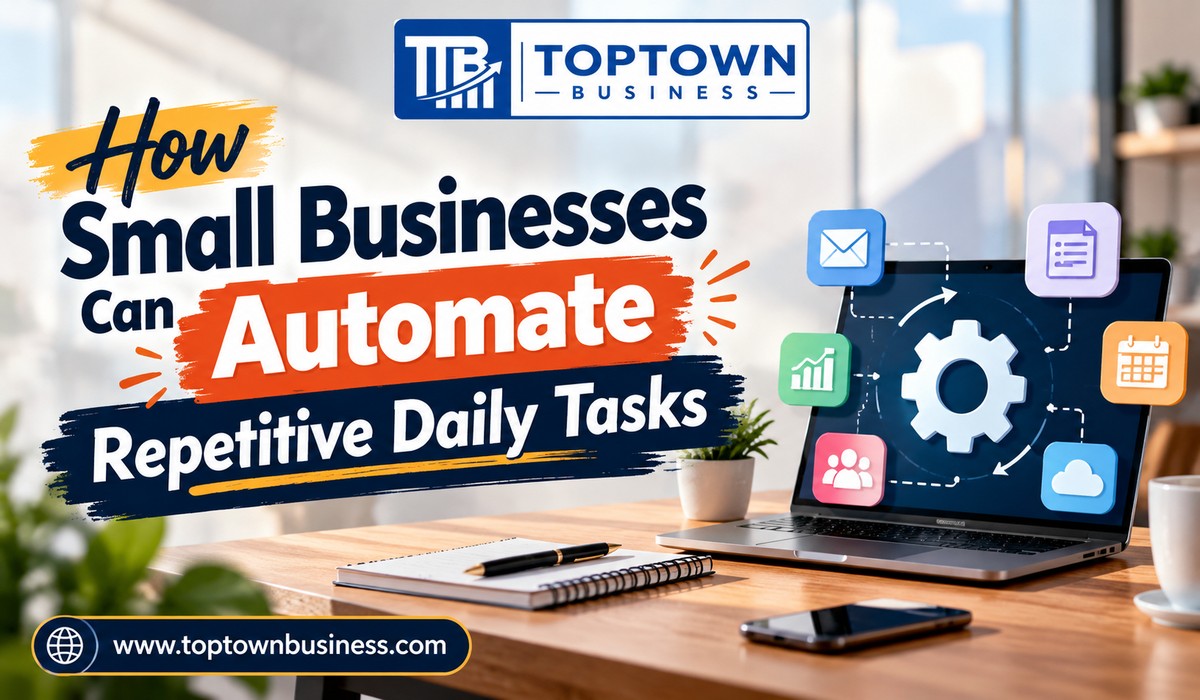
Running a small business involves many responsibilities, including answering emails, managing customer enquiries, preparing invoices, updating records, and scheduling appointments. Although these activities are essential, they can consume valuable time that business owners could spend serving customers, improving products, and growing revenue. Automating repetitive daily tasks helps businesses reduce manual work and manage their operations more efficiently.
Business automation uses software to complete routine actions according to predefined rules, schedules, or triggers. For example, a business can automatically send appointment reminders, record new customer enquiries, generate invoice notifications, or organize incoming support requests. With the right setup, these workflows can reduce errors, improve consistency, and give employees more time for important work.
Small businesses do not need expensive enterprise systems to begin automating their operations. Many tools provide visual workflow builders, integrations, templates, and AI-assisted features that make automation accessible to non-technical users. The key is to identify repetitive activities, select suitable tools, and introduce automation gradually.
This guide explains how small businesses can automate daily tasks, which tools can help, and how to build reliable workflows without making business operations unnecessarily complicated.
Why Small Businesses Should Automate Repetitive Tasks
Small businesses often operate with limited staff and budgets. As a result, employees may spend hours completing the same administrative activities every week. Automation can help reduce this workload by handling predictable steps consistently.
Save Time on Routine Work
Tasks such as copying customer details between applications, sending standard emails, and updating spreadsheets rarely require complex decisions. Automating these activities allows employees to focus on work that needs personal attention.
For example, when a potential customer submits a contact form, an automated workflow can add the enquiry to a customer management system and notify the responsible employee. Consequently, the team spends less time entering information manually.
Reduce Human Errors
Manual processes can lead to missed messages, duplicate records, incorrect data entry, and forgotten follow-ups. Automation can reduce these problems by following consistent instructions.
However, automated workflows can also make mistakes when they use incorrect information or poorly designed rules. Therefore, businesses should test workflows and review important transactions rather than assuming automation guarantees accuracy.
Improve Customer Experience
Customers appreciate timely responses, clear updates, and reliable service. Automated confirmations, appointment reminders, and order notifications can help businesses communicate consistently.
Nevertheless, automation should not make every interaction impersonal. Employees should remain available for complex questions, complaints, and situations that require empathy or judgment.
Support Business Growth
As a business grows, the number of enquiries, orders, invoices, and appointments may increase. Automation can help manage this additional workload without requiring every routine task to involve another employee.
Although automation cannot replace every staffing need, it can make existing resources more productive.
How Small Businesses Can Automate Repetitive Daily Tasks
The most effective automation projects begin with common activities that follow predictable steps. Below are practical workflows that small businesses can introduce without redesigning their entire operation.
1. Automate Email Management and Responses
Email remains an important communication channel for customers, suppliers, employees, and business partners. However, sorting messages and responding to routine enquiries can take considerable time.
Businesses can use email rules, templates, filters, and automation integrations to organize incoming messages.
Useful email automation ideas include:
- Moving messages into folders based on sender, subject, or keywords.
- Labeling enquiries according to their purpose.
- Sending automatic acknowledgements when customers submit requests.
- Creating reminders for unanswered messages.
- Using approved templates for common questions.
- Notifying the appropriate employee when an important enquiry arrives.
For example, a service business can configure a contact form to send an acknowledgement to the customer and notify the sales team. The employee can then review the enquiry and prepare a personalized response.
AI writing assistants can also help draft replies, summarize long email conversations, and improve clarity. However, employees should review messages before sending them, particularly when they contain prices, contractual terms, or sensitive information.
2. Automate Customer Data Entry
Many small businesses store customer information across spreadsheets, email accounts, forms, and customer relationship management systems. Updating each system manually creates unnecessary work.
Automation tools can connect supported applications and transfer information between them.
For instance, when someone completes a registration form, a workflow could:
- Capture the submitted information.
- Create a customer record in the selected system.
- Assign the enquiry to an employee.
- Send a confirmation email.
- Create a follow-up task.
This process reduces repeated data entry and helps employees respond more consistently.
Before enabling the workflow, define which fields the system should collect and how it should handle duplicate records. Also, limit access to customer information and follow applicable privacy requirements.
3. Automate Appointment Scheduling and Reminders
Businesses that depend on appointments often spend time coordinating calendars, confirming bookings, and reminding customers about upcoming sessions.
Scheduling software can allow customers to select available time slots while automatically updating supported calendars.
Useful automations include:
- Sending booking confirmations.
- Adding appointments to connected calendars.
- Sending reminders before scheduled meetings.
- Notifying staff when customers reschedule.
- Sharing preparation instructions before a consultation.
- Sending follow-up messages after an appointment.
For example, a consulting firm can let customers book available meeting times through an online scheduling page. The system can send a confirmation and a reminder, reducing the need for repeated email exchanges.
However, businesses should choose reminder timings carefully and make rescheduling straightforward. They should also verify that calendar integrations prevent double bookings under their intended setup.
4. Automate Invoicing and Payment Follow-Ups
Preparing invoices, recording payments, and tracking overdue balances can consume valuable administrative time. Accounting software can automate several of these steps.
Depending on the platform and configuration, businesses may be able to create recurring invoices, send payment notifications, record transactions, and receive alerts about overdue accounts.
For example, a monthly service provider could configure recurring invoices for customers with established billing arrangements. The system could then send reminders when payments approach their due dates.
Common invoicing automations include:
- Generating invoices from approved customer or order information.
- Sending invoices automatically after a completed transaction.
- Notifying employees about overdue payments.
- Updating payment status through supported integrations.
- Preparing recurring billing schedules.
- Organizing transaction records for review.
Automation does not remove the need for financial oversight. Confirm invoice amounts, tax treatment, customer details, and payment status. In addition, review unusual transactions before issuing adjustments or refunds.
5. Automate Social Media Publishing
Maintaining a consistent social media presence requires planning, content creation, scheduling, and performance review. Automation can reduce the effort involved in publishing routine updates.
Social media management tools allow businesses to prepare content in advance and schedule posts for supported platforms.
A small business could create a monthly content calendar containing product announcements, educational posts, special offers, and customer updates. The team could then schedule approved content instead of publishing each post manually.
Useful workflows include:
- Scheduling posts in advance.
- Organizing content in a shared calendar.
- Sending reminders when drafts need approval.
- Reusing approved content in suitable formats.
- Collecting available engagement statistics.
- Notifying employees when a post fails to publish.
AI tools can help brainstorm topics, prepare captions, and adapt content to different audiences. However, review every post for accuracy, tone, promotional conditions, and brand consistency.
Avoid automating sensitive customer interactions or publishing AI-generated claims without checking them. Timely human responses remain important when customers ask questions or raise concerns.
6. Automate Inventory and Order Updates
Retailers and product-based businesses must monitor stock levels, process orders, and communicate delivery information. Automation can help keep these processes organized.
Depending on the software, businesses can configure alerts when inventory falls below a selected threshold or update stock records when orders are processed.
For example, an online store could send an internal notification when a popular product reaches its reorder level. The owner could review the stock position and arrange a purchase before the item runs out.
Potential inventory automations include:
- Low-stock notifications.
- Order confirmation emails.
- Internal alerts for new orders.
- Stock updates after eligible transactions.
- Shipping status notifications.
- Reports on products that need attention.
Accurate inventory automation depends on reliable data. Businesses should account for returns, cancellations, damaged goods, and transactions that occur outside the connected system.
Small businesses can make smarter automation decisions by exploring how data analytics helps small businesses make better decisions and using business insights to identify repetitive tasks that can be streamlined.
7. Automate Customer Support Requests
Customer support teams often receive repeated questions about business hours, service availability, delivery, billing, and product use. Automation can help organize these enquiries and provide basic information.
A support system can categorize incoming tickets, assign them to the appropriate team, and send confirmation messages. AI-assisted tools may also summarize conversations or suggest responses based on approved information.
For example, a software company could automatically categorize password-reset requests and direct them to a troubleshooting guide. More complicated technical issues could be assigned to a support representative.
Effective support automation should include clear escalation rules. If a customer has an unresolved problem, disputes a charge, or expresses serious dissatisfaction, the system should provide an accessible route to human assistance.
8. Automate Employee Onboarding and Internal Tasks
Small businesses often repeat the same steps whenever they hire an employee or start a new project. Documenting and automating these processes helps teams work more consistently.
For employee onboarding, a workflow could create a checklist, notify the manager, schedule orientation meetings, and assign training tasks.
For project management, automation could create standard tasks when a new client project begins. Team members could receive assignments and deadlines without a manager entering every item manually.
Useful examples include:
- Creating onboarding checklists.
- Assigning recurring administrative tasks.
- Sending reminders about upcoming deadlines.
- Notifying managers when approvals are required.
- Creating project folders from approved templates.
- Preparing routine status reports.
Access permissions require particular care. Employee records, payroll information, and confidential project files should remain available only to authorized users.
Best Automation Tools for Small Businesses
The right tool depends on the applications your business already uses and the tasks you want to automate.
Zapier
Zapier connects supported applications and enables users to create workflows that trigger actions automatically. It can help businesses transfer information, send notifications, and connect tools without manually moving data between them.
It is particularly useful when a business relies on several separate applications.
Make
Make provides a visual environment for building workflows between supported applications. Its visual scenarios can help users organize multi-step processes and manage more complex automation logic.
It may suit businesses that need greater control over how information moves through a workflow.
Microsoft Power Automate
Microsoft Power Automate supports workflow automation across Microsoft services and other supported applications. It can help businesses automate approvals, notifications, data processing, and repetitive office tasks.
It is especially relevant for organizations that already use Microsoft 365.
Google Workspace Automation
Google Workspace provides several ways to streamline work, including Gmail filters, Calendar scheduling, Forms, Sheets, and supported automation integrations. Apps Script can extend these capabilities, although scripting requires some technical knowledge.
These tools may be a practical starting point for businesses that already manage documents, email, and schedules through Google services.
HubSpot
HubSpot provides customer relationship management and marketing tools, with automation features varying by product and subscription. Businesses can use supported workflows to organize leads, assign tasks, and manage customer communications.
It can be useful for teams that want to connect sales and marketing activities with customer records.
QuickBooks
QuickBooks provides accounting and bookkeeping tools with features that vary by product, region, and subscription. Supported capabilities can help businesses manage invoicing, recurring transactions, expenses, and payment reminders.
It may suit businesses that want to reduce routine financial administration while maintaining organized records.
Before choosing any platform, compare subscription costs, task limits, integrations, data protection controls, and the time required to maintain your workflows.
How to Choose Which Tasks to Automate First
Not every task deserves automation. The best starting point is usually a repetitive activity that consumes time, follows clear rules, and creates avoidable delays when someone forgets a step.
Use these questions to evaluate potential workflows:
- Does the task happen regularly?
- Does it follow a predictable process?
- Does it require frequent copying or updating of information?
- Can you clearly define the conditions that trigger an action?
- Would an error create significant financial, legal, or customer consequences?
- Can an employee review or reverse the result if necessary?
Start with low-risk workflows, such as sending booking confirmations or creating internal notifications. Once the process works reliably, move to more complex tasks.
Avoid automating important decisions before you understand the underlying process. If your current workflow contains unnecessary steps or inconsistent information, automation may simply reproduce those problems faster.
Steps to Implement Business Automation Successfully
A structured implementation process helps small businesses avoid unnecessary complexity.
Step 1: Record Your Existing Workflow
Write down each step of the task, who performs it, which applications they use, and where delays commonly occur.
Step 2: Set a Clear Goal
Define what improvement you want. For example, you may want to reduce manual data entry, prevent missed appointments, or shorten the time needed to process enquiries.
Step 3: Choose a Suitable Tool
Check whether your existing software already supports the automation you need. Built-in features may be simpler and cheaper than adding another subscription.
Step 4: Build and Test the Workflow
Use sample records to test normal situations, missing information, duplicate entries, and failed connections. Confirm that the workflow behaves as expected before relying on it in daily operations.
Step 5: Document the Process
Explain what triggers the automation, what actions it performs, and who is responsible for reviewing errors. This documentation helps employees understand the system and maintain it when requirements change.
Step 6: Measure the Results
Compare the time spent on the task before and after automation. Also track error rates, missed steps, customer feedback, and ongoing software costs.
Common Automation Mistakes Small Businesses Should Avoid
Automating everything at once: Too many changes can overwhelm employees and make problems harder to identify. Introduce workflows gradually.
Ignoring data quality: Incorrect customer records or outdated inventory information can produce incorrect automated actions. Review the source data regularly.
Choosing unnecessarily complicated tools: A simple built-in feature may solve the problem without requiring a complex integration.
Neglecting security: Restrict access, protect credentials, and review which applications can exchange sensitive information.
Failing to monitor workflows: Integrations can fail when applications change, permissions expire, or usage limits are reached. Set up error notifications and review important workflows periodically.
Removing human oversight: Keep human approval for decisions involving significant financial commitments, sensitive customer cases, refunds, or other high-impact actions.
Frequently Asked Questions
1. What daily tasks can small businesses automate?
Small businesses can automate email sorting, appointment reminders, invoice notifications, customer data entry, social media scheduling, inventory alerts, support ticket routing, and recurring project tasks.
2. What is the best automation tool for a small business?
Zapier, Make, Microsoft Power Automate, Google Workspace tools, and HubSpot are useful options. The best choice depends on your existing applications, workflow complexity, budget, and integration requirements.
3. Can small businesses automate tasks without coding?
Yes, many automation platforms provide visual workflow builders and ready-made templates that allow users to connect applications and automate routine tasks without writing code.
4. Is business automation expensive?
Not necessarily. Some applications offer built-in automation or limited free plans, while advanced workflows may require paid subscriptions. Compare total costs with the time saved and the effort needed to maintain the system.
5. How can a small business measure automation success?
Track time saved, error rates, missed tasks, response times, customer satisfaction, and software costs. Reviewing these measurements helps determine whether automation improves productivity and delivers practical business value.